Behind the design: Concept to Vector in Adobe Illustrator
Exploring a new AI capability for the messy, half-formed stages of creativity
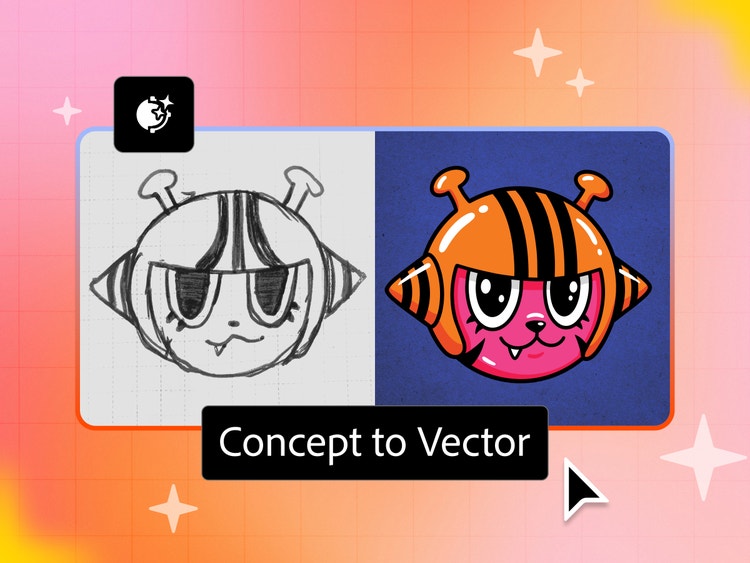
Adobe Illustrator has a long history with raster-to-vector conversion, from Adobe Streamline in the early days, through Live Trace, to the Image Trace tool designers love and use today. Each version got better at one specific job: faithfully retracing whatever was already on the page.
Illustrator’s Concept to Vector is aimed at the messy, half-formed part of the process, where an idea is a sketch on a napkin or a screenshot of a screenshot. It's a generative AI capability that takes rough sketches, low-fidelity drawings, or raster images and turns them into clean, fully editable vector artwork, built from real paths and anchor points, while also providing the space to continue developing the idea itself, not just clean it up.
Plenty of AI tools can take a rough idea and return polished work in seconds. What they can't do is hand back work in a form you can keep working in—your work shaped by your hand, not a black box's best guess. Building a tool that respects that difference, for designers specifically, turned out to be one of the bigger challenges Adobe’s tackled in this space. In the process, the team discovered that one of the biggest obstacle wasn't technical at all: Many designers simply don't do their thinking in words (prompts).
Experience Designers Bhavya Minocha and Arunatpal Chanda, and Design Manager Srishti Gupta, discuss how the feature came together and how, along the way, they were compelled to rethink earlier assumptions.
What was the primary goal when you set out to design Concept to Vector?
Bhavya Minocha, Arunatpal Chanda, Srishti Gupta: Concept to Vector isn't just about doing raster-to-vector conversion better; it's about leaning into a different part of the process. Plenty of what designers bring in is still worth a faithful trace, but just as often, what they're starting with is a rough idea, not a clean image. Perfect vectorization was never the goal. The goal was to help people reach a place where they could continue shaping their ideas.
What user insights informed the design solution?
Bhavya, Arunatpal, Srishti: Ideas almost never start in applications. By the time ideas reach Illustrator, a lot of thinking has already happened. But before now, the process of bringing those ideas into Illustrator, without redrawing them from scratch, has been lengthy and tedious.
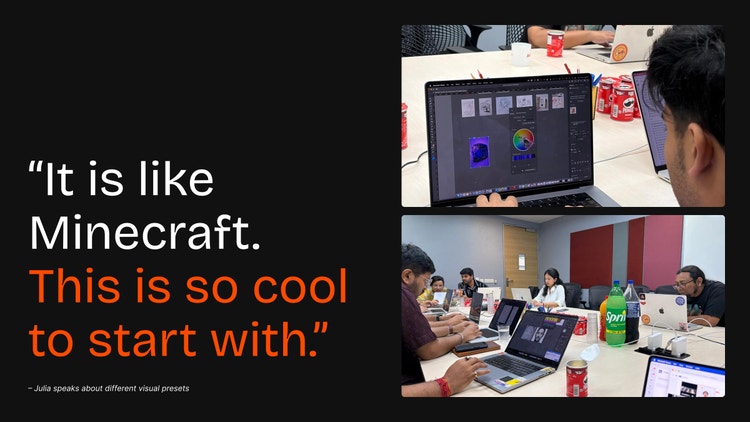
That’s where we tapped into insights from our users. Across multiple group and 1:1 sessions, we noticed two key patterns:
- Most designers don't come to Illustrator wanting to write a prompt. For many people, "type a description and hope for the best" is just an extra step between them and what they're trying to make.
- Even the designers who are willing to prompt often don't love the results. It’s not because the model failed, but simply because turning a mental image into words is genuinely hard—and it rarely survives translation intact.
What was the most unique aspect of the design process?
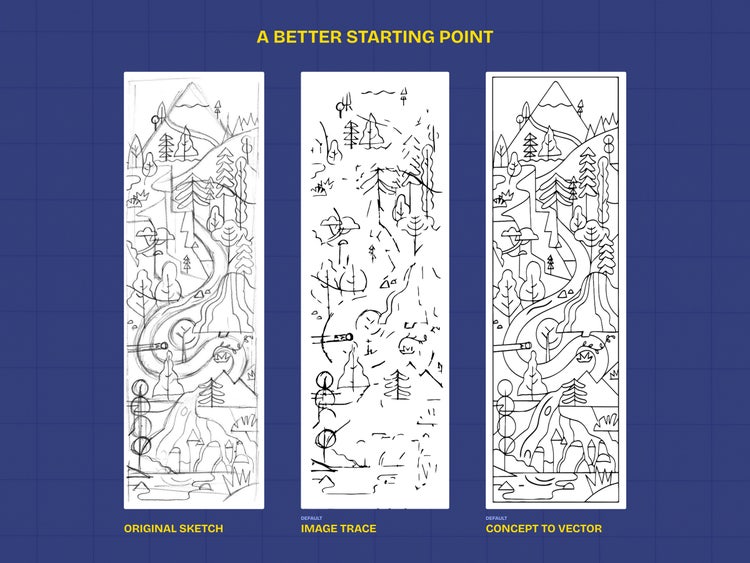
Bhavya, Arunatpal, Srishti: Traditional vectorization has always been graded on faithfulness: Did the vector match the source? Concept to Vector required a different bar entirely; determining what that bar was, became the most distinctive part of the process. We found the old approach falling short in ways that mattered a lot in the fast-evolving creative landscape:
- It needed a high-resolution source for tracing to work well.
- It could only map what was already in the image.
- Editability was often poor in practice. The output came with far more anchor points than any human would draw by hand, which made it difficult to customize.
None of those are abstract complaints. In fact, they’re the exact friction points that led many people to say, “I’ll just redraw it myself.” Solving those limitations required rethinking what success looked like.
Instead of optimizing for a perfect trace, we began exploring how AI could help designers move an idea forward. With this knowledge, we built two different approaches that gave us directional confidence: The engineering team built a proof of concept to test the technical feasibility of the interaction design, and the design team built a vibe-coded interactive demo to pressure-test early design hunches about the experience with users.
What was the biggest design hurdle?
Bhavya, Arunatpal, Srishti: Whatever you're trying to make right now, a document, a spreadsheet, an illustration, the default shape of almost every AI tool is the same: open an application, type a prompt, wait for a result. That pattern is tempting because it's easy to build and easy to demo. The problem is that it doesn’t serve many designers well.
The real hurdle for the team wasn't technical. It was resisting the gravitational pull toward making everything prompt-first, even when prompting wasn't the best way to serve the actual process. Some early explorations still had prompting at the center, just wrapped in fancier controls. That meant, underneath the surface, nothing had really changed.
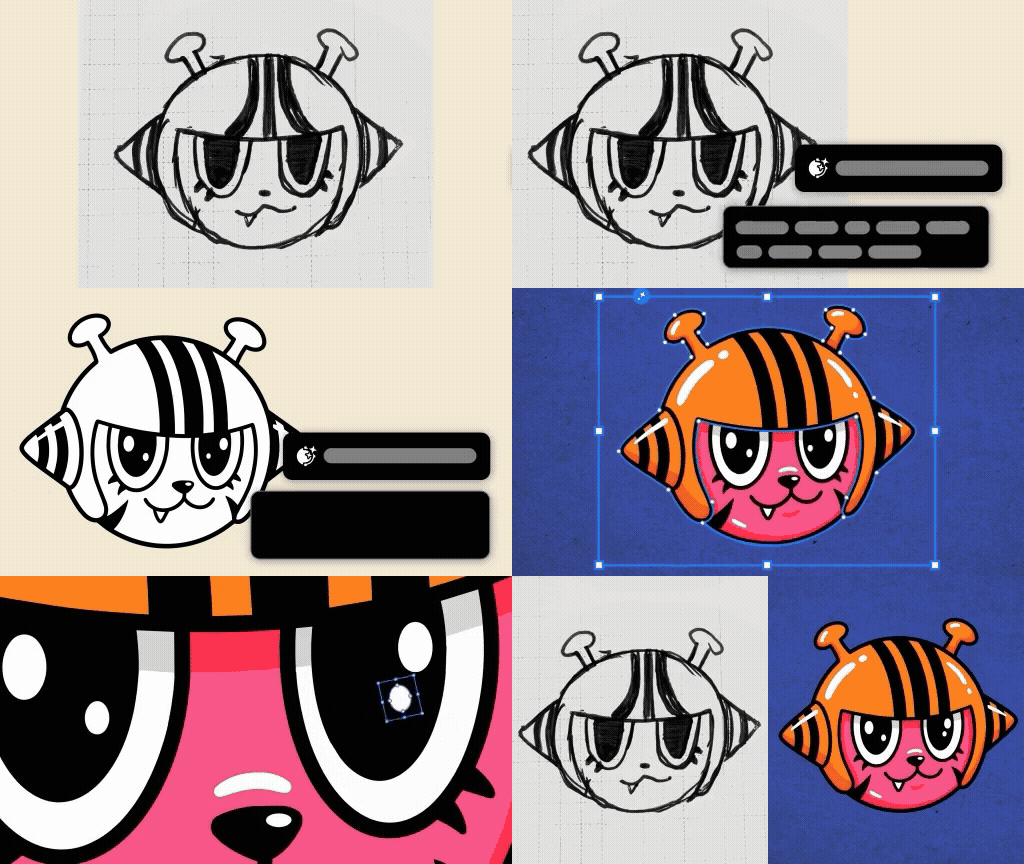
Where the team eventually landed was different: Writing a prompt became something a person could do, not something the tool required. On the surface, that looked like one hurdle, but up close, it was two:
- A mindset shift. The team had to unlearn the default instinct to reach for a prompt box as the obvious starting point, and bring engineering partners along.
- A creative ownership experience. Even when a generative tool works technically, people can end up feeling like the result isn't really theirs, like authorship quietly slipped out of their hands somewhere in the process. The team kept returning to the difference between a toy and a tool: Concept to Vector shouldn't just be something fun to play with a few times; it should be something a user trusts enough to build real work on top of.
The value of that approach became especially clear during one user research interview with someone deep in a niche use case, but a genuinely demanding one—molecular biology. No matter how many times they tried, that user kept hitting a wall trying to bring a detailed, DNA-inspired illustration to life using prompt-based editing alone. We showed them a different approach with the same reference image. Instead of a generic trace, they used it as a custom visual reference alongside a prompt describing exactly the output they wanted. The very first result was strong, noticeably better than either a plain trace or an early attempt at limiting the palette. It was an instant, hitting-it-out-of-the-park moment!
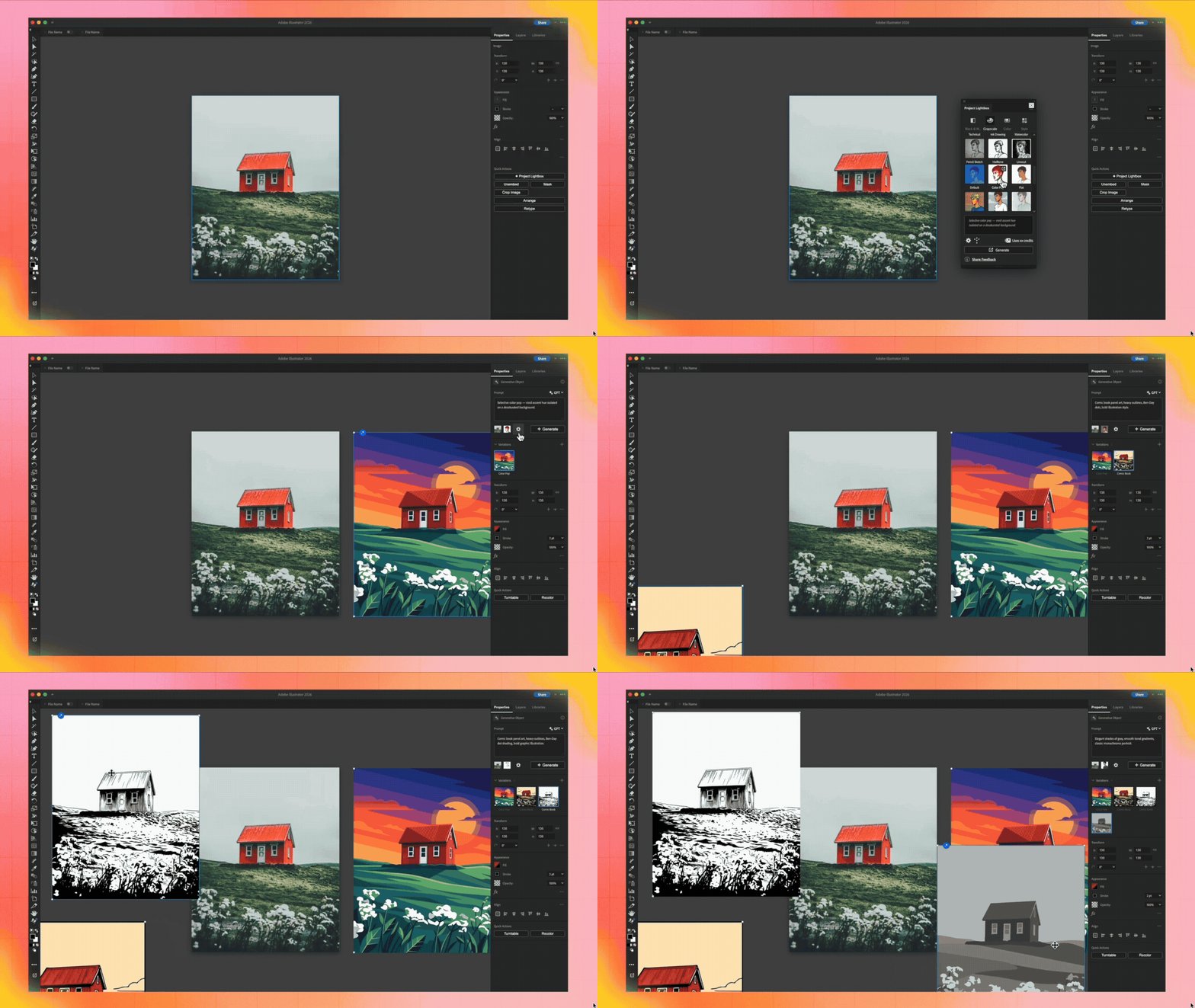
What makes that research worth sharing is that there wasn't one correct path. Some users started with a prompt, others with presets, others by adjusting controls. That flexibility meant people could enter the workflow at whatever stage made sense for them while still benefiting from Illustrator's precision.
How did the solution improve the creative experience?
Bhavya, Arunatpal, Srishti: Three things stand out as meaningfully different when comparing Concept to Vector with how users converted images to vector before and how prompting has worked in Illustrator until now:
- When prompting is optional, it’s possible to get real value without ever typing a word.
- It works with source material that's historically been a struggle to vectorize well.
- It creatively reinterprets, extending an idea rather than mapping only what’s already on the page.
The ability to push a piece in a new direction, try an alternate interpretation, or keep evolving it, without ever having to start over, has made Concept to Vector the most-used generative feature in Illustrator.
What did you learn from the design process?
Bhavya, Arunatpal, Srishti: An interesting lesson for us as designers is the realization that working with generative AI is about finding balance. On one side is removing real drudgery, the tedious, mechanical rebuilding work nobody enjoys. The other is preserving authenticity, making sure the result stays part of the user's process and isn’t just an outcome handed to them.
The key lies in giving users control over the hundreds of micro-decisions like stroke widths, color palettes, text styles, and many more decisions, that go into building an artwork. Design must earn trust through predictive interactions and make the tool feel like it's built with people, not for them.
What's next?
Bhavya, Arunatpal, Srishti: We're working toward a few important upgrades, with more settings and precision controls for users—including generating lines as strokes, honoring technical inputs added in natural language, and generating live, editable text.
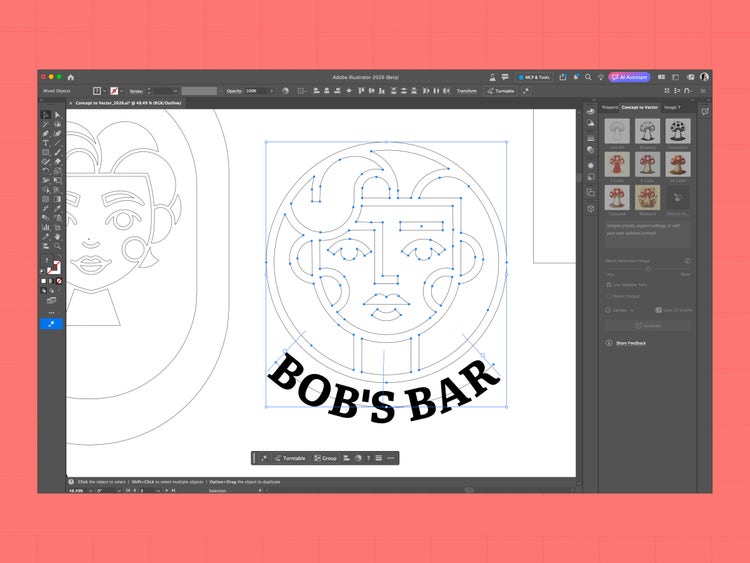
Another thread the team is actively chasing is understanding how much overlap exists between people who already rely on Image Trace and the audience Concept to Vector is built for. Early signs suggest this gives long-time Image Trace users a genuinely better starting point. The next question is how to build on that, in a way that serves both where Illustrator is headed as a product and the people who use it.