Behind the design: Adobe Express AI Assistant
The design challenge that unlocked a fresh vision for content creation
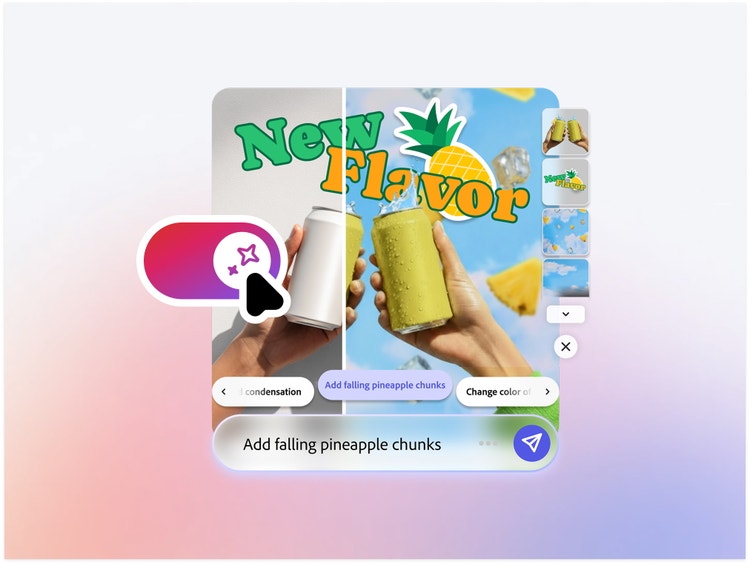
Those words were the early spark in the journey that led to what we now know as the Express AI Assistant—a simplified yet powerful assistant interface that enables content creation via natural language—that launched in limited beta at Adobe MAX.
Claude (not the AI) has been at Adobe for over seven years. He’s been fortunate to have contributed to Express's evolution since its early days as Adobe Spark and cares deeply about building momentum, generating new ideas, and thoughtfully challenging the status quo to help keep moving the application forward. When we spoke with him about how Ben’s design challenge set the stage for what followed, he first underscored the true team effort ("you all know who you are") needed to pull it off. Then he shared some of the critical design questions and organizational decisions behind the work.
What was the primary goal when you set out to design the AI Assistant in Express?
Claude Piché: The goal was big, but the idea was simple: What would Adobe Express look like if it were powered by and designed around an AI core? Before creating any mockups, we grounded ourselves in the Express design principles and used them as our guide when we worked on vision prototypes:
- Simple: Keep the UI as minimal as possible—a canvas, a prompt bar, and access to manual controls.
- Empowering: Is it useful? Does it save me time? Ask users in every research call, “If you had a magic wand, what would you like it to do for you?”
- Tailored: Does it understand my document? Do the suggested next steps make sense? Does it have context about who I am as a user and understand my brand? Does it remember earlier work I’ve created? Can it give me insight into what to do next based on previous content performance?
- Unified: Does it feel connected with the rest of Express, and other Adobe products?
- Reliable: How does it perform? How does it feel when it loads? Can it reliably do what I’m asking it to do?
Defining the scope
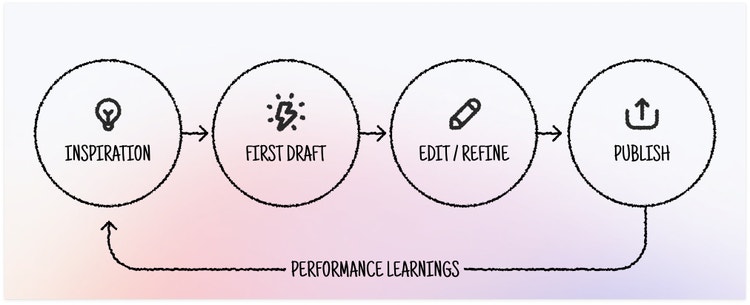
Claude: How might this digital assistant support your day-to-day content creation, from start to finish? To answer that, we mapped the entire content-creation journey and, as a cross-functional team, aligned on the core capabilities we needed to deliver for the beta. We knew we couldn’t excel at every single step, but having that shared alignment helped us define a realistic, meaningful first scope that we could learn from.
Working through complexity to create simplicity
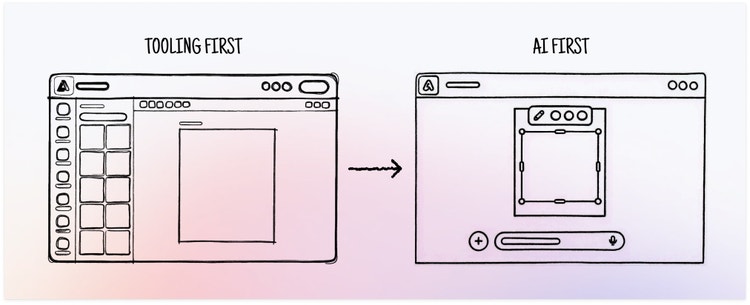
Claude: Express had gained tons of great features, but it had also become crowded and harder for users to find what they needed to complete their tasks. We stepped back and asked: What if we completely changed the experience? Instead of making users hunt tools, what if they could just tell us what they wanted and the Assistant could take care of business?
What user insights did you leverage to help inform the design solution?
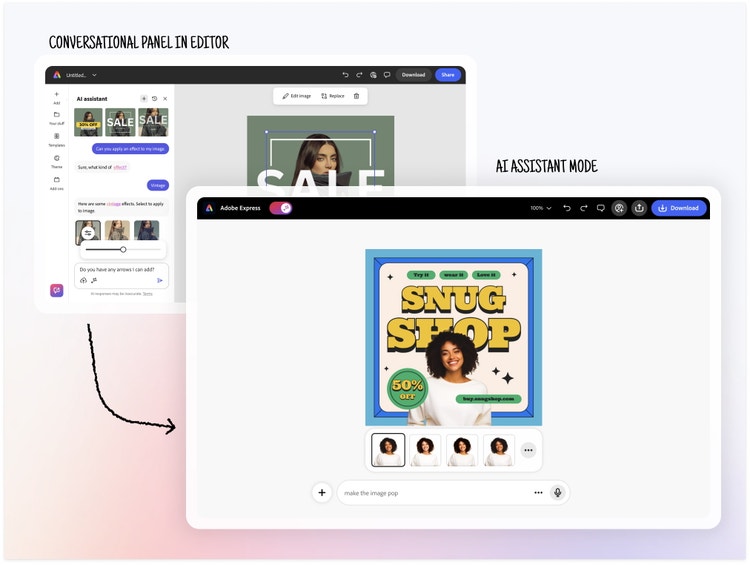
Claude: At the beginning, we went straight to the most familiar idea of what an “AI Assistant” should be—a conversational panel layered on top of the existing Express experience, where users could chat with the AI. It felt like a safe and expected starting point, so we built it and put it in front of users. What we learned was surprisingly consistent: People weren’t interested in having lengthy back-and-forth chats with a creation tool. They also weren’t interested in an assistant that showed them how to accomplish a task. They were looking for an assistant that would complete the work for them, one that acted on clear commands.
We also realized that adding yet another panel to an already crowded editor only added more complexity, which was precisely the opposite of our goal to simplify the UI. That insight pushed us to pivot, explore a dedicated “AI mode,” and rethink the experience from the ground up.
Flip the switch
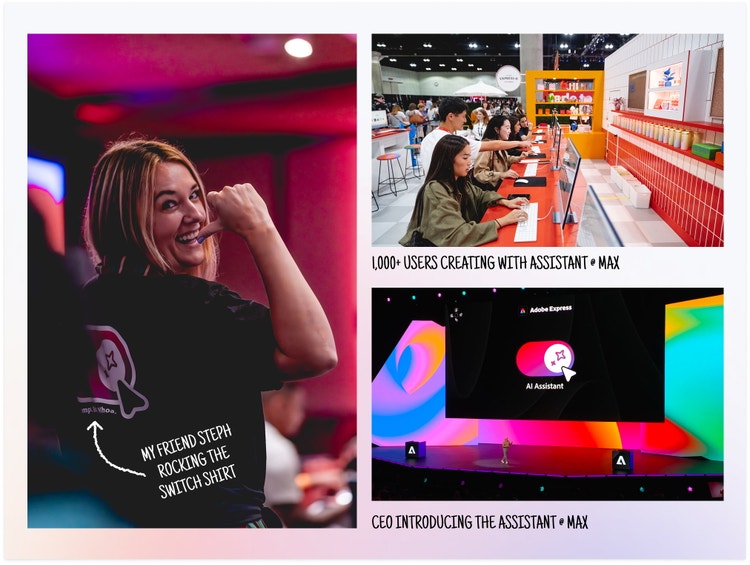
Claude: At one point, we debated whether this new “mode” should be its own standalone experience or something users could easily switch to. After testing different patterns, we landed on a simple toggle that lets users move quickly between the new experience and the classic app (and editor) they’re already familiar with. Funny enough, that little switch became the unofficial mascot of the release after our marketing team ran with it: There were T-shirts, pins, pillows, and playful taglines (like “Keep calm and toggle on” and “Flip the switch”).
What was the biggest design hurdle?
Claude: We wanted this experience to be different from what was already in the market. Since most design assistants can spit out quick, flat results that can be quickly downloaded but not really edited without breaking them, we knew Express had to do more. We wanted the best of both worlds: the speed of prompting and the full control of manual editing in a layered document.
Designing in an AI-driven world is uniquely challenging. People’s expectations for software are higher than ever, and when you put a prompt bar on the screen that says, “Describe what to create or edit," you’re making a bold promise that the experience must rise to meet.
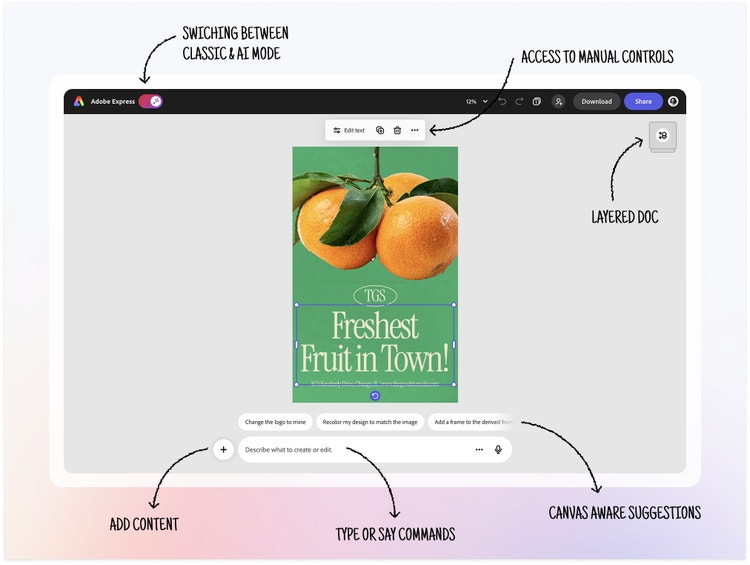
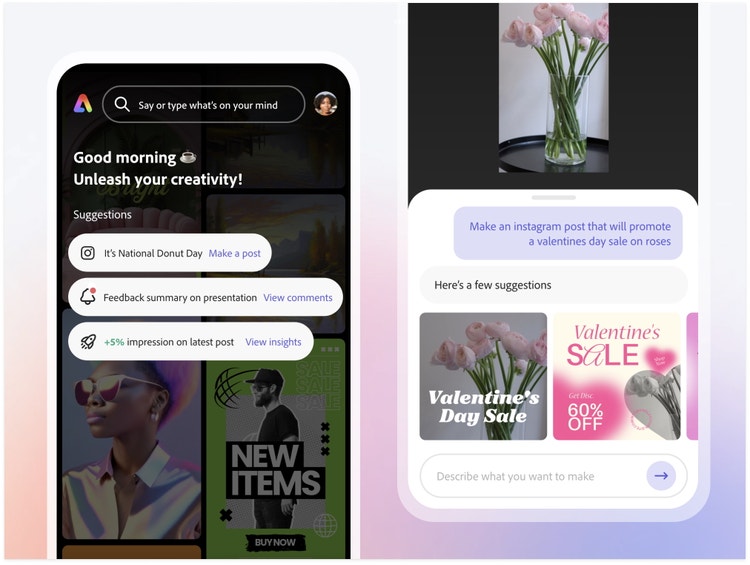
Empty prompt bars can trigger the same anxiety as a blank canvas, so prompt suggestions became key. They give people confidence, clarity, and a starting point, and can also serve as inspiration, helping users understand what they can ask for, while gently signaling the system’s boundaries.
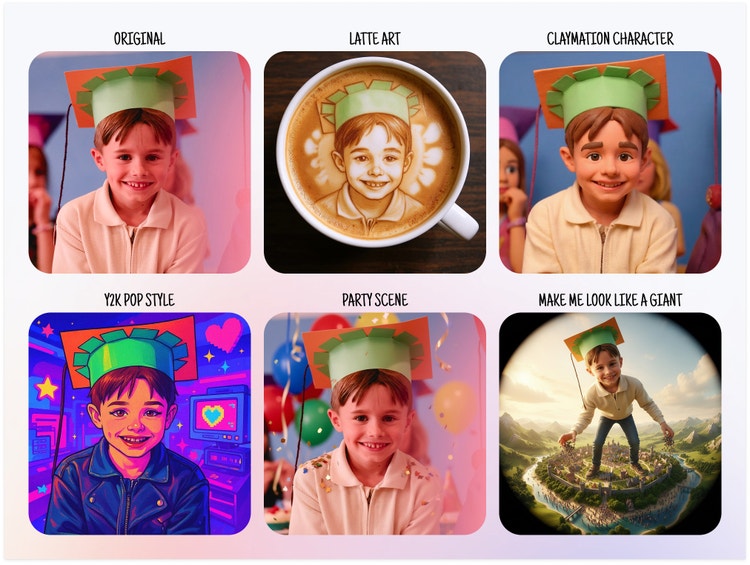
Also, since our goal was for users to immediately understand the power of the experience, our content team developed a collection of imaging presets. The presets, simple pre-engineered image explorations, remove the pressure of prompting and give people an effortless, one-click way to alter an image so they can quickly see the value of the Assistant.

We also wanted the experience to feel modern, intentional, and just a little bit special. Small details like motion, timing, and animation play a huge role in bringing that feeling to life. Working with a team of talented (and very patient) front-end engineers who co-designed with us in the browser was pure gold. That final 10% polish was by far the hardest part, but it elevates the entire product.
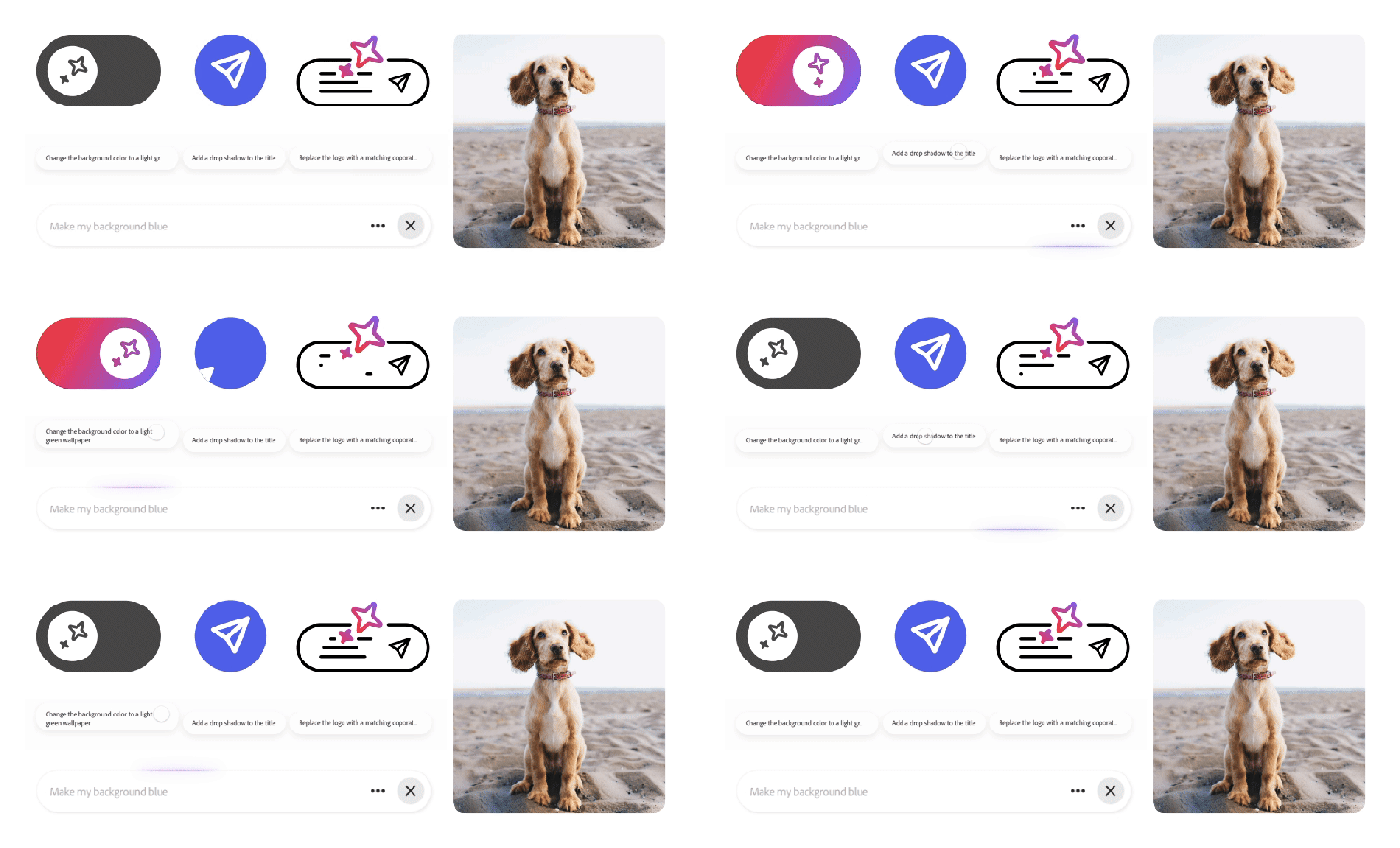
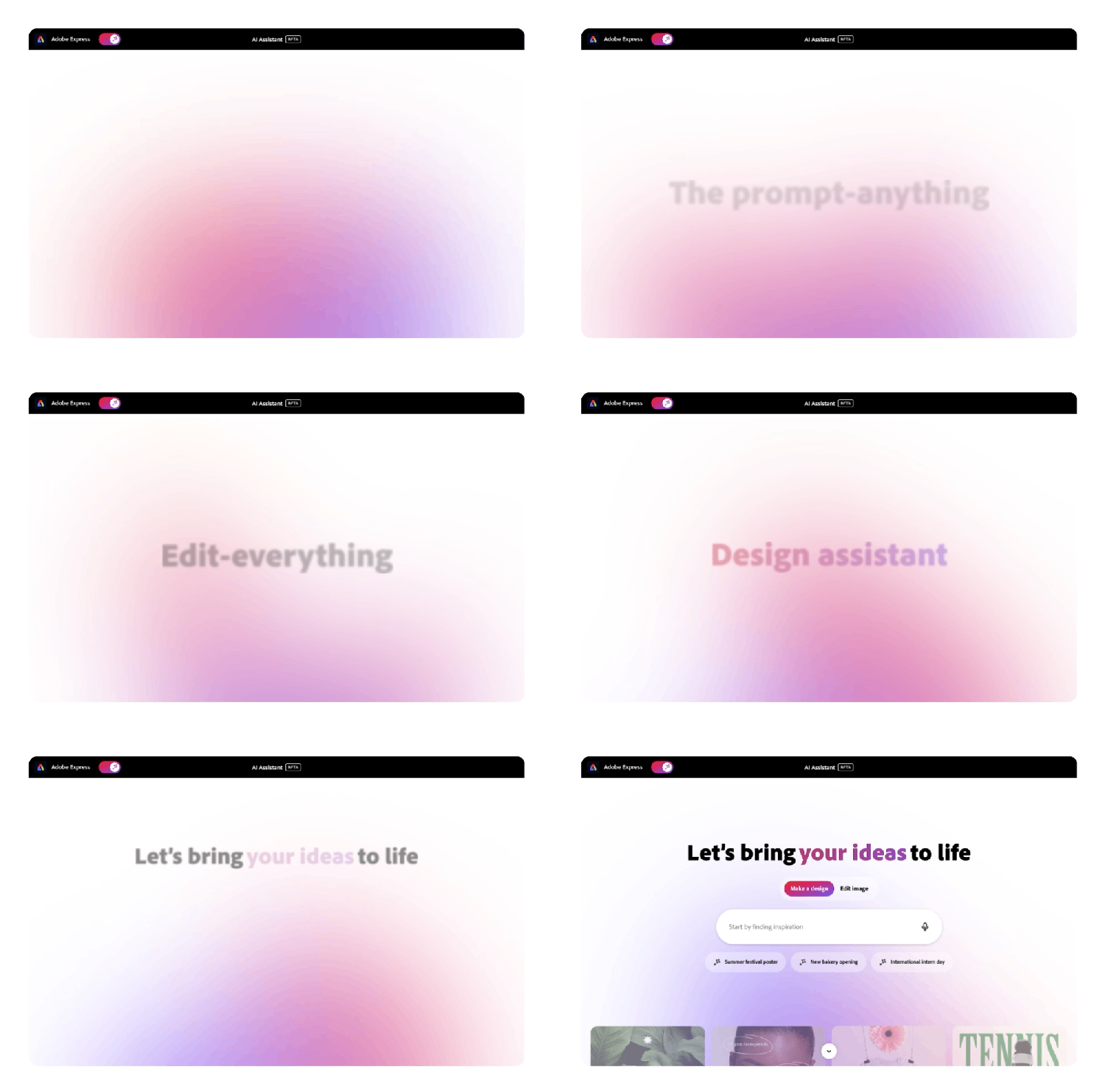
Crystal Law (Motion Design Lead): Motion in the AI Assistant isn’t just decoration, but a core part of how the experience communicates and comes to life. I was fortunate to join the team early enough to explore the full potential of motion, how it could guide attention, and make the Assistant feel more approachable. This early involvement shaped how I approached the entire motion system.
From there, I worked closely with designers to mock up interactive end-to-end flows and explore key motion components including the prompt bar loading animation, the gradient bouncy switch, and the delightful intro that welcomes users into the experience.
Once the concept became more defined, we partnered closely with front-end engineers to bring each motion spec to life. It was an incredibly collaborative and rewarding process, iterating together on timing and behavior, until the animations felt natural, purposeful, and consistent with how we wanted to present the Assistant.
What did you learn from this design process?
Claude: I’ve said this many times, but this was by far the most challenging project I’ve worked on at Adobe. Some might say, “How could it have been that difficult when the UI is so minimal and simple?” Well, it takes a lot of complexity to achieve simplicity. Most of the projects I’d worked on were “pre-AI” and followed clear, linear workflows—with defined starts and finishes, and predictable steps in between. This project was the complete opposite. With a prompt bar and limitless possibilities, there was no single design path.
We spent countless hours debugging, testing builds, reporting issues, and trying to understand behaviors that sometimes changed day to day. That unpredictability made things feel different every morning. Some days everything clicked and felt magical, and on others it felt like nothing was working at all. It was an emotional roller coaster. There were moments of genuine excitement, and others where I wanted to toss my laptop out the window.
Date-driven release
Claude: I've never been a big fan of hard deadlines, but knowing that we'd be introducing a beta version at Adobe MAX gave us clarity and focus. We refined the scope, made tough calls about what was in and out, and committed to doing fewer things but doing them well. It gave the team a shared goal and pushed us to raise the bar: We obsessed over the UI, tightened every interaction, and aimed for pixel-perfect quality.
It was intense, but it brought out the best in us and created the focus we needed to deliver something we were proud to put in front of the world.
What’s next for Express?
Claude: Even though the limited private beta felt like the end of a long roller-coaster ride, it’s just the start of a new chapter for Express. We now have a real foundation to build on and a living product we can learn from. Every prompt, interaction, success and friction point gives us clearer direction: What are people trying to do? Which capabilities matter most? And what entirely new possibilities should we explore next?
Bringing Express AI Assistant to mobile is on our minds. We keep asking ourselves what creation looks like someone’s not at a desk? On mobile, you’re moving, multitasking, capturing moments, so it must feel effortless and highly performant. Imagine simply talking to your canvas with spoken prompts like, “Take out the person who’s photobombing,” “Make it brighter,” “Turn this into a poster.”
What I’m most excited about, though, is how this will reshape the way we work as designers. We’re moving from stitching together prototypes in traditional screen-design tools to building directly in the browser, where ideas feel more alive and closer to real. And as we lean into this shift, we’ll be able to move faster by shipping incremental value week after week, learning, refining, and continuously leveling-up the experience.