Building an experience that fosters creative confidence through play
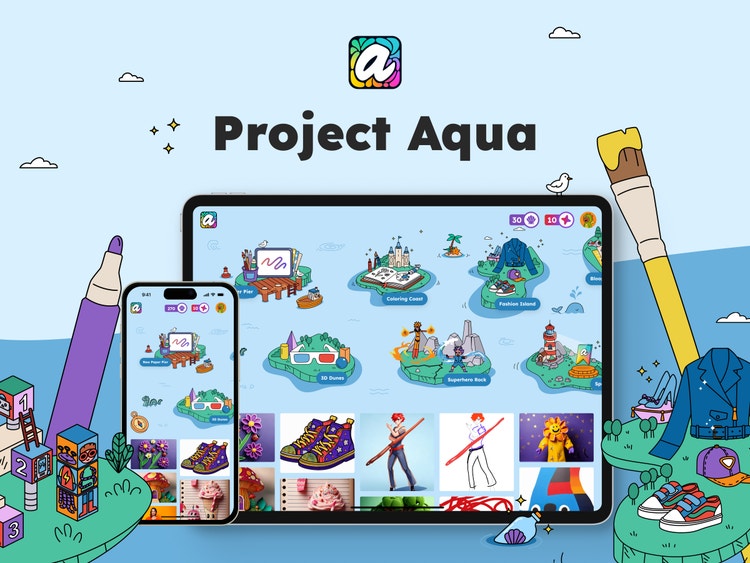
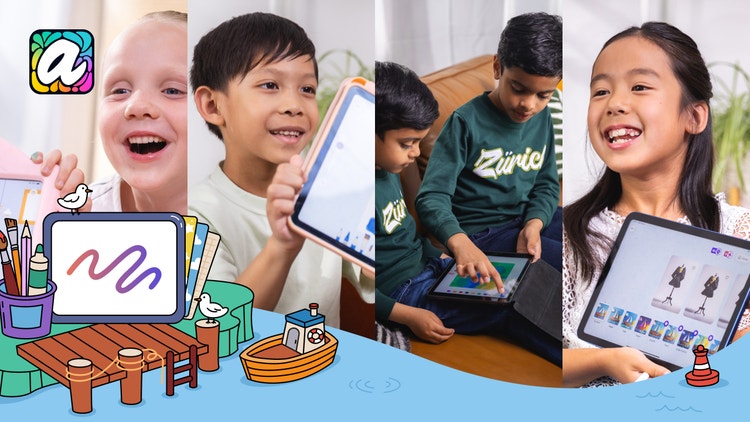
At Adobe, we’ve spent years designing applications for creative mastery. But with Project Aqua, we've flipped the script to nurture the next generation of creatives. Project Aqua, a free iOS app, invites kids (together with the grown-ups in their lives) to dive into a world where play sparks creativity. Each island in Aqua’s archipelago is a new adventure designed to make creativity and imagination feel magical, approachable, and just a little bit unpredictable.
Raghvi Kabra, the Experience Designer on Project Aqua, has been involved since the pitch phase. She worked with Director of Experience Design Matthew Carlson to build the early UX prototypes that helped realize the vision expressed by Venture Leads Lydia Hall and Peppe Ragusa during a 2024 incubator pitch.
Throughout the journey, Matthew Carlson has continued to serve as design advisor, guiding branding and map design and championing the simplicity at the heart of the experience. As the team grew, Jeannie Huang joined as Principal Product Manager. She’s been instrumental in adapting the editor for iPad and mobile, building onboarding and instructional moments, and adding delightful interactions.
Building Project Aqua was a one-of-a-kind design challenge. Each step was rich with insights that required reevaluating assumptions about complexity, control, and the definition of “intuitive.” We spoke with Raghvi about the experience of inventing a new system and visual language from scratch and repeatedly testing it to see what held and what broke.
What was the primary goal when you set out to design Project Aqua?
Raghvi Kabra: Kids are born with an instinct to create. Too often, that fades as they grow, as if their creativity is just “not good enough.” With Project Aqua, we set out to build more than a creative tool; we set out to build creative confidence. We wanted an environment that encouraged exploration and experimentation, and a product that felt approachable, magical, rewarding, and built confidence in ideas.
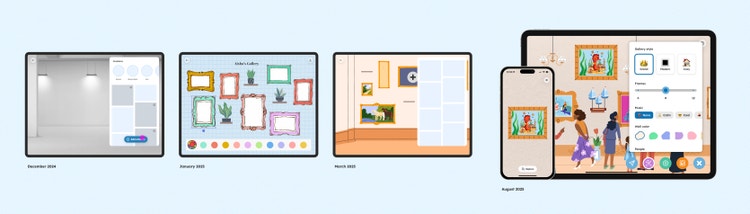
In Project Aqua, each island is its own creative activity: Fashion Island brings fashion lines to life; Superhero Rock offers inspiration for creating comics; and on 3D Dunes, flat drawings can be transformed into three-dimensional art and placed in rooms using augmented reality.
What user insights did you leverage to help inform the design solution?
Raghvi: Testing our designs early was crucial to the product development process. Kids don’t hold back and are brutally honest. From the first build, kids were playing with the app, and their parents were sharing with us what worked and what didn’t. Trying to understand the minds of 8-year-olds became hugely important.
- Kids are naturally curious but have limited attention spans. Creative activities had to feel rewarding and fun, so kids could dive right in without onboarding or guidance about how to use them.
- Kids are more fearless than adults. They aren’t scared to break the rules and mash tools together in unexpected ways. This nudged us to design a space that was geared more towards experimentation than perfection.
- The importance of surprise and micro-delight. Short attention spans mean large feature sets aren’t as valuable as well-placed “wow” moments: loading screens that look like jellyfish disco; well-placed animated confetti; cute characters on the map that kids can interact with. These go a long way, much farther than a tutorial ever could.
- Meaningful implementation of AI. From speaking with creative professionals, we learned that AI should act as a partner to support ideas, not replace them.
- Parents are the gatekeepers. Which apps are allowed on kids’ devices, and how much screen time they’re allowed on them, is decided by parents. We wanted to provide parents with assurance that their kids were learning new skills while also having fun.
What was the most unique aspect of the design process?
Raghvi: The most unique part of designing Aqua was learning to design without baggage. Most creative tools are designed for people who already know their purpose. With Aqua, we were designing for an audience that cares deeply about making sunglasses for monsters and adding sparkles to dresses. We found ourselves building tools that were less about efficiency and more about encouraging playful detours.
Another unique aspect was keeping our design flexible enough to allow for unexpected yet delightful use cases. Aqua was often used in completely unexpected ways: to make games out of stickers; to stack the gallery with hundreds of pieces of decor; and to draw using an eraser after spilling a paint bucket on the canvas. It was a constant reminder that creativity will always uncover new uses for familiar tools.
What was the biggest hurdle in designing this project?
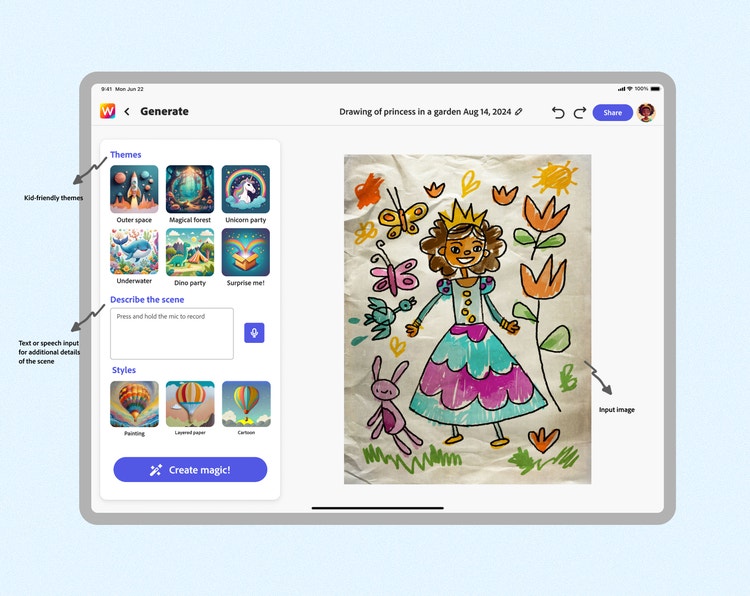
Raghvi: Right from the start, we hit a few big challenges: Spectrum, Adobe's design system, is polished and works great for professional applications, but it was designed for adults, so the app kept feeling too "adult," so we struggled to make things “fun.” We quickly realized that a lot of it didn't translate. Components, spacing, and UI patterns that made complete sense to adults ended up confusing or intimidating kids.
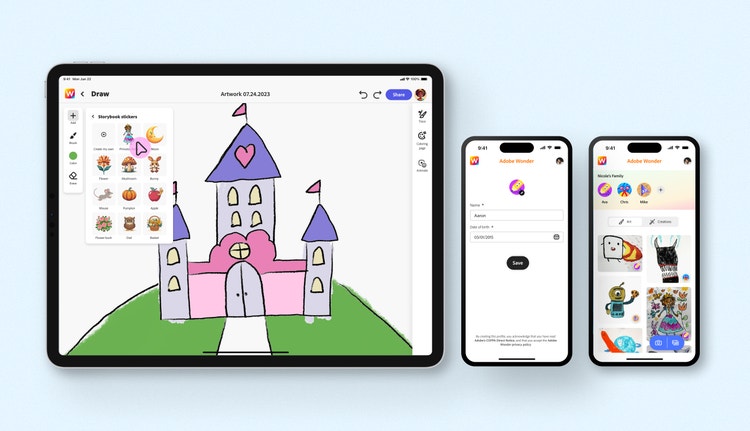
We also recognized the familiar behavior of parents handing their phones to their kids during transitional moments—on car rides, in waiting rooms, and standing in grocery lines. That meant that we needed to design a robust experience that was engaging and scaled well on smaller screens.
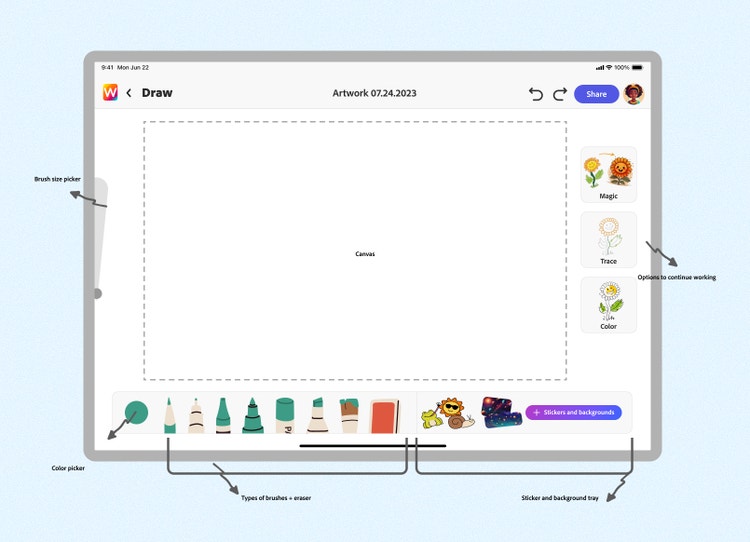
Incorporating generative AI was especially tricky. We didn't want anyone to feel like the generative tools were there to make "better versions" of art. Instead, we incorporated AI as a playful collaborator, something that could spark ideas and encourage exploration without taking over creative ownership.
How did the solution improve the in-product experience?
Raghvi: Our core pillars for solving all the hurdles in the design process were simplicity, delight, and just enough guidance to offer support without dictating outcomes.
Building a hybrid design system for kids
Raghvi: Instead of using Spectrum out of the box, we adapted it to work for kids. We kept the clarity and polish of the system by integrating the iconography while layering in larger touch targets, brighter calls to action, and more playful interactions. It led to a UI that still feels like a part of the Adobe family while also clicking with kids. Experience Designer Emma Gustafson, with her eagle eye and keen sense of system design, helped us out during this phase.
What does home look like?
Raghvi: When grids of artwork and buttons on the screen didn’t get a good response, we took a fresh “non-adult” approach to the UI. We rebuilt the core navigation as a map with islands and a “choose your own adventure” entry point to turning browsing into exploration so kids could discover activities at their own pace rather than being forced down a singular path.

AI as a sidekick, not an improver
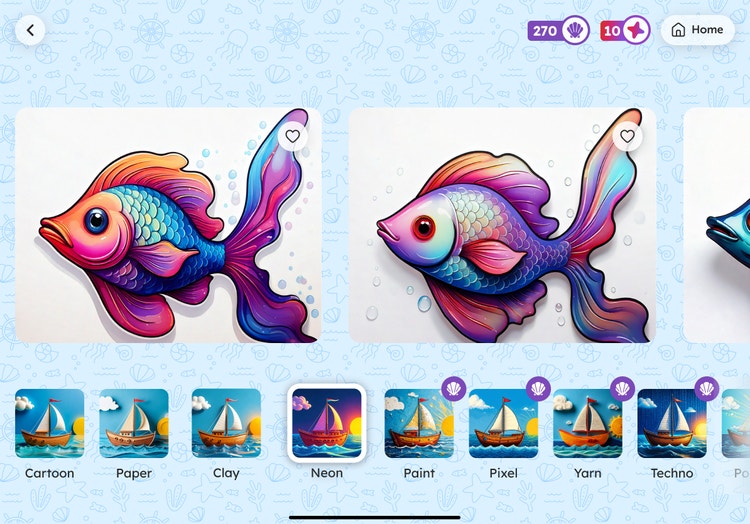
Raghvi: In Aqua, kids always lead with their own ideas. AI only steps in as a playful partner that helps bring their art to life in different, yet familiar, mediums like clay, wood, paper, pixels, yarn, and other fun filters. It amplifies creativity without taking ownership away.
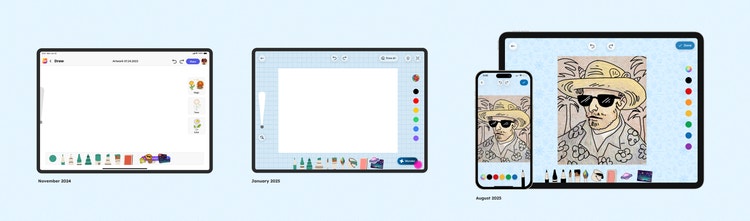
Balancing learning with fun
Raghvi: To encourage exploration, we added child-safe templates and art from the masters that kids could trace over to learn drawing basics. With those inclusions and a sharp focus on simplicity, Aqua became a kid-first creative playground—rich enough to keep kids engaged, supported, and proud of what they’d made, while giving parents something to share.
What did you learn from this design process?
Raghvi: Design for kids is wildly different from design for adults. Kids care less about loaded features and aesthetic polish and more about what constitutes fun. They’re also incredibly quick to find it (much quicker than most adults, sadly). And that’s where we had to meet them. A functional, pixel-perfect app wasn’t enough; it had to lead with fun.
Testing, testing, testing. We said it earlier, but it’s worth repeating because testing early and testing often is how we arrived here. Yes, as a designer, showing early prototypes can be fraught with uncertainty, but without that early testing, we couldn’t have designed and launched Project Aqua in less than a year. Today, more than 2,000 kids and their parents are using the beta version of the app and regularly returning for more of that Aqua magic—whether it's drawing a superhero, tracing a masterpiece, or decorating a gallery.
What’s next for Project Aqua?
Raghvi: This is just the beginning. Our vision is for Project Aqua to be the first touchpoint for kids to start building creative muscle. Our north star is to keep Aqua a space where kids feel brave enough to try, fail, and try again.... because that’s at the heart of becoming a true creative.